
Koko Analytics stores all of your statistics in your own WordPress database. You can export this data to a SQL file at any time, and import it back whenever you need to — for example when migrating to a new server, restoring a backup, or moving data between staging and production.
You’ll find all data management options under Dashboard > Analytics > Settings > Data.
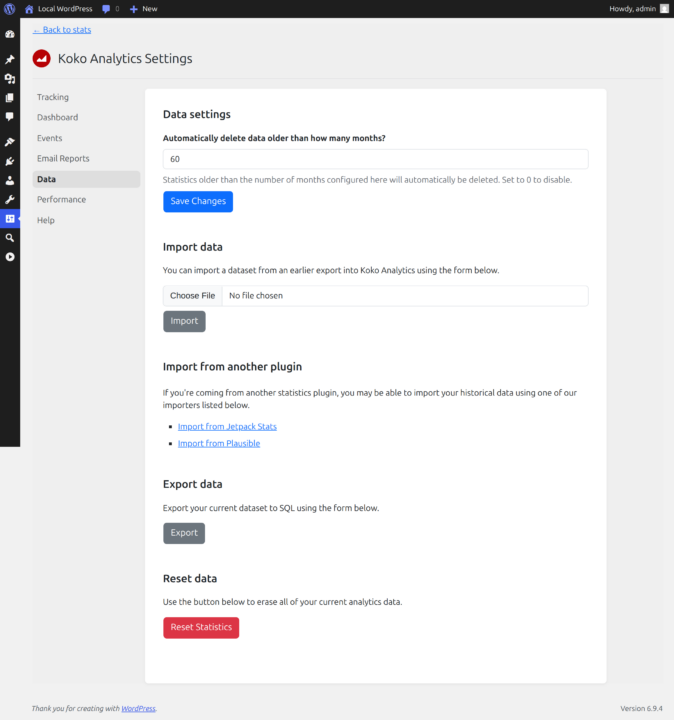
Exporting your data
Click the Export button to download a SQL file containing all of your Koko Analytics database tables. This file includes your pageview statistics, referrer data, and all associated paths and URLs.
The export file is a standard SQL file that can be inspected or edited with any text editor. It is named after your site URL so you can tell exports apart if you manage multiple sites.
Tip: It’s a good idea to export your data before major plugin updates, especially if you want a quick way to roll back.
Importing data from an export
To restore a previous export, scroll to the Import data section, select your SQL file and click Import.
A few things to keep in mind:
- The import replaces your current data. This is not a merge — your existing Koko Analytics statistics will be overwritten with the contents of the file.
- Post IDs must match. The export file references posts by their database ID. If you’re importing into a different WordPress installation, the post IDs need to be the same for page titles to show up correctly.
- Only Koko Analytics tables are affected. The import will not touch any other part of your WordPress database.
Automatic data cleanup
By default, Koko Analytics automatically deletes statistics older than a configured number of months. You can change this in the Automatically delete data older than how many months? setting at the top of the data page.
Set the value to 0 to keep your data indefinitely. Otherwise, data older than the configured number of months is pruned automatically on a regular schedule.
Importing from another analytics plugin
If you’re switching to Koko Analytics from a different statistics plugin, you may be able to import your historical data directly. Koko Analytics currently has importers for:
- Jetpack Stats — imports pageview data using the WordPress.com API
- Plausible Analytics — imports visitor, pageview and referrer data from a Plausible CSV export
You can access both importers from the data settings page. For detailed instructions, see the dedicated help articles for importing from Jetpack Stats and importing from Plausible Analytics.
Resetting your statistics
If you want to start fresh, the Reset Statistics button at the bottom of the page erases all of your analytics data. This deletes every record from your Koko Analytics database tables.
This action cannot be undone. If there is any chance you might want your data back, export it first.