Tracking visitor countries
As of version 1.9, Koko Analytics Pro allows you to keep track of what countries your site is visited from. All without the use of any third-parties or storing the IP address of your visitors.
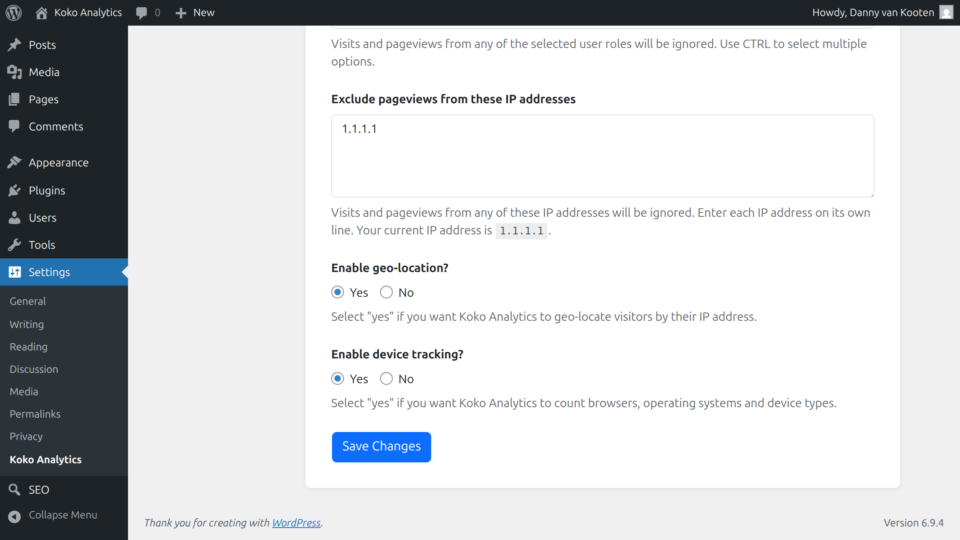
To enable geo-location, first ensure you have Koko Analytics Pro installed and activated.
Go to Settings > Koko Analytics > Tracking and scroll down to locate the Enable geo-location? setting. Select Yes and then save your changes to enable keeping track of visitor countries.
The first time you enable this setting, the plugin will download a geo-location database from our servers and install it on yours. This may take a couple of seconds, depending on where your server is located related to ours.
After enabling geo-location, you will have a new dashboard component visible on your Koko Analytics dashboard.